
Invoicing shouldn't be a line at your register.
Customers request their invoice by scanning the same QR as your menu or card: they enter their tax details once and your team gets everything organized in one inbox.
They type. You invoice. Nobody queues.
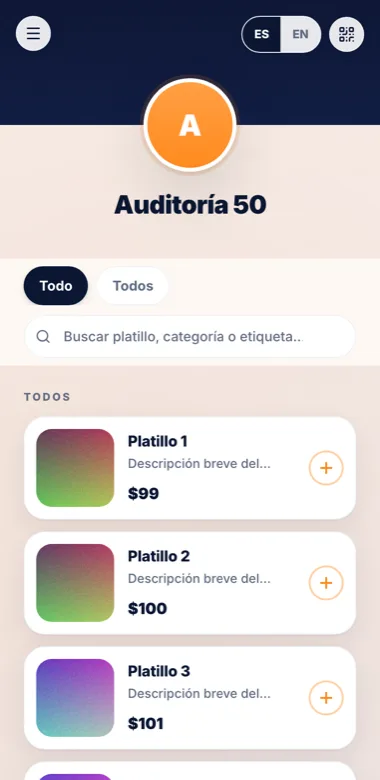
The product in action
Real platform screens — no mockups.
Enable the module
Configure your CFDI 4.0 fields (use, regime, payment form) per organization.
Customers scan
From the menu or your card they fill their tax details and attach their reference.
Your inbox organizes
Complete requests with folio, status and email notice; mark invoiced and done.
The same old problem
- Tax IDs shouted across the counter.
- Emails with half an RFC and a blurry receipt.
- Lost requests and annoyed customers.
How it works
Enable the module
Configure your CFDI 4.0 fields (use, regime, payment form) per organization.
Customers scan
From the menu or your card they fill their tax details and attach their reference.
Your inbox organizes
Complete requests with folio, status and email notice; mark invoiced and done.
What you get
CFDI 4.0
RFC, legal name, ZIP, regime and use — validated in the form.
Inbox with statuses
Pending → invoiced, with folio and a customer email.
Lives in your QR
The invoicing door appears in your menu or card once enabled.
Protected data
Tax information visible only to owners and admins, with auditing.
Frequently asked questions
Does alotap issue the CFDI?
alotap organizes and validates requests; you issue with your invoicing provider and mark the request as invoiced.
Do customers retype their data every time?
The form is direct and clear; your customer types once per request — no lines, no dictation.
Where does the invoice option appear?
In your public menu or card, as soon as you enable the module.
Organized invoice requests, happy customers.
Enable invoicingNo app for your customers. Spanish and English from day one.